iCareManager Blog
Choosing the Right EHR for Your Assisted Living Community
Compare IDD EHR software for Medicaid waiver billing, EVV compliance, ISP tracking and DSP scheduling. A step-by-step guide to choosing the right platform.
1 July 202617 min read
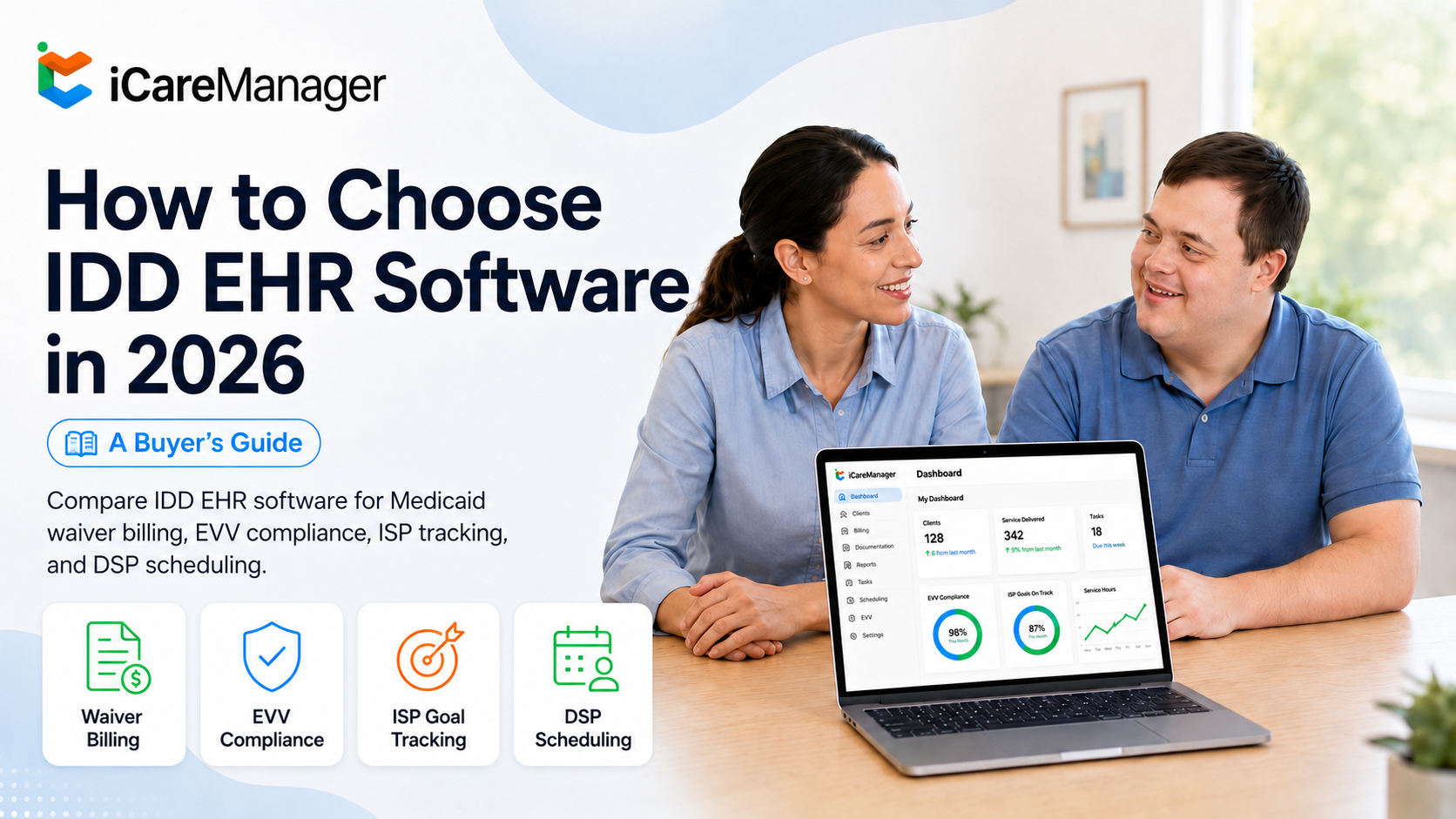
If you run an IDD agency, you know that the right software can make or break your daily operations. Generic electronic health records might work for a typical medical office, but IDD service delivery requires something different. Person-centered planning, Medicaid waiver billing, EVV compliance, and DSP scheduling don't fit neatly into systems designed for clinical encounters. iCareManager gives IDD providers a cloud-based EHR platform built specifically for the way you work. This guide walks you through everything you need to know about selecting specialized IDD EHR software from understanding why purpose-built solutions matter to evaluating the features that will actually support your staff and the people you serve.
Key Takeaways: How to Choose IDD EHR Software in 2026
- Generic EHRs often fail IDD agencies because they lack support for waiver billing, EVV, and person-centered documentation workflows.
- Purpose-built IDD software includes features like ISP goal tracking, eMAR integration, and Medicaid-specific billing rules that general platforms cannot match.
- iCareManager offers IDD providers an integrated EHR platform with care plans, medication management, staff training, and HIPAA-compliant documentation in one system.
- Your evaluation should prioritize ease of use for DSPs, interoperability with pharmacy and billing systems, and mobile access for community-based services.
- Implementation success depends on staff buy-in, role-based training, and choosing a vendor with IDD-specific expertise and ongoing support.
Why Generic EHR Systems Fall Short for IDD Agencies
Most electronic health records were designed for hospitals, clinics, and private practices. They excel at managing clinical encounters between licensed practitioners and patients. They handle CPT code billing to commercial insurers. They maintain documentation in standard medical formats. IDD service delivery looks nothing like that model. A direct support professional isn't a licensed practitioner in the clinical sense. A community outing or vocational training session isn't a clinical encounter. Medicaid waiver billing follows completely different rules than fee-for-service medical billing.
Where Generic Systems Create Workflow Problems
Agencies that try to adapt general EHRs for IDD services typically face two outcomes. Either they spend significant time and money on customization, or they accept that certain workflows remain manual because the software can't handle them natively. Both paths represent ongoing operational costs that add up quickly. The documentation an IDD agency needs ISP goal tracking, service notes, authorization management, EVV compliance doesn't fit neatly into a clinical charting framework. When software forces your team to work around its limitations, errors increase and efficiency drops.
What Does Purpose-Built IDD EHR Software Actually Mean?
The phrase "purpose-built for IDD agencies" appears frequently in software marketing. Understanding what it actually means helps you separate genuine specialized solutions from adapted platforms. In a purpose-built IDD system, the underlying data structure reflects how IDD services actually work: individuals with Individual Service Plans, served by DSPs under service authorizations funded by Medicaid waivers, with service delivery documented via EVV and supported by case management records.
How Data Architecture Affects Your Operations
When these relationships are built into the system architecture from the start, data flows automatically from service delivery to billing to payroll. In adapted systems, the same integration requires manual steps or custom middleware. This difference shows up every day in your administrative workload.
Purpose-built billing engines know the difference between billing a unit of personal assistance under an HCBS waiver and billing an hour of community integration. They track authorization limits in the unit structures that match how those authorizations were issued by your state Medicaid program.
Essential Features to Evaluate in IDD EHR Software
Your EHR selection should focus on features that directly support IDD workflows. Not every platform offers what you need, so knowing which capabilities matter most helps you compare options effectively.
Electronic Health Records and Care Documentation
Look for EHR functionality that captures complete client information including medical history, charting, and progress notes. The system should track individual goals, behaviors, and incidents while maintaining a holistic view of each person's care. iCareManager's EHR Platform streamlines care plans, service tracking, medication management, and compliance reporting in one cloud-based system. Your staff should be able to document care in real time from mobile devices. When DSPs can access and update records during shifts, documentation accuracy improves and administrative catch-up time decreases.
Electronic Medication Administration Records (eMAR)
Medication management requires precision. eMAR functionality centralizes medication records, tracking, and administration details. This feature prevents missed doses and reduces medication errors through automated reminders and pharmacy integrations. The iCareManager eMAR integrates with over 12 pharmacy systems, ensuring accurate medication information flows directly into your documentation. Your DSPs receive alerts when medications are due, and supervisors can monitor administration records in real time.
Person-Centered Planning and ISP Support
Individual Service Plans sit at the heart of IDD care delivery. Your software should support person-centered planning for ISPs and Person-Centered Plans (PCPs), including goal tracking and outcome management. When goals connect directly to service documentation, you can demonstrate progress and justify continued services during audits. Look for configurable templates that allow you to customize documentation to match your state's specific requirements. The flexibility to adapt forms without expensive custom development saves money and ensures compliance as regulations change.
How to Assess Medicaid Billing Capabilities
Billing accuracy directly affects your revenue and compliance standing. IDD organizations must manage multiple billing codes related to services, assessments, and individual needs. Selecting the right codes is complex because clients often receive different types of support across multiple service settings.
Automated Billing and Claims Submission
Manual billing entry is time-consuming and error-prone. The right IDD software generates accurate billing data automatically from service documentation. This automation reduces denials and claw backs while saving staff hours of repetitive data entry. Your billing system should configure claims to payer-specific rules and verify them before submission. When billing integrates with scheduling and documentation, data flows cleanly without manual reconciliation. This connection catches discrepancies before they become rejected claims.
Authorization Tracking and Budget Management
Medicaid waivers come with authorization limits that vary by service type and individual. Your software should track these limits automatically, alerting staff when utilization approaches thresholds. Running out of authorized units mid-month creates service gaps and billing problems. Real-time eligibility verification helps you identify potential payment issues before services are delivered. Outdated insurance information or lapsed authorizations caught early prevent denied claims and wasted staff time on appeals.
Why EVV Compliance Matters in Your Software Selection
Electronic Visit Verification became mandatory for personal care and home health services under the 21st Century Cures Act. States have implemented EVV requirements with varying specifications, and compliance failures can result in claim denials and penalties.
How EVV Integration Simplifies Documentation
When EVV connects directly to your EHR, visit verification happens automatically as DSPs clock in and out. Location data, service times, and care activities flow into your documentation and billing systems without manual entry. This integration eliminates the risk of missing required verification elements. Look for platforms that update automatically when your state changes EVV enforcement rules. Keeping up with regulatory changes shouldn't require custom development projects or emergency workarounds.
Evaluating Scheduling and Staff Management Features
DSP scheduling in IDD agencies involves complexity that generic HR systems weren't designed to handle. You manage 24/7 residential coverage, community-based services, varying credential requirements, and high turnover rates. Your software should make scheduling easier, not harder.
What to Look for in Scheduling Tools
Effective scheduling connects DSPs to clients based on authorization requirements, credential matches, and individual preferences. When staff can view and manage schedules from mobile devices, last-minute changes become less disruptive. Impromptu shift capability ensures unplanned services still get documented properly. Integration with payroll eliminates separate timekeeping systems. When scheduled shifts connect to actual clock-in data, payroll calculations become straightforward. Service codes and varying pay rates should calculate automatically based on the work performed.
Managing Credentials and Training Compliance
DSPs need various certifications and training renewals to maintain compliance. Your software should track expiration dates and alert supervisors before credentials lapse. iCareManager's Integrated Staff Training module automates training management, ensuring your team stays compliant and continues developing professionally. When credential status connects to scheduling, the system can prevent assignments to staff who lack required certifications. This automatic safeguard protects your agency from compliance violations.
How to Assess Mobile Capabilities and Accessibility
IDD services happen in homes, communities, day programs, and residential settings. Your staff needs software that works wherever they are, not just at a desktop computer in the office.
What Mobile Access Should Include
Mobile functionality means more than viewing records on a small screen. DSPs should be able to document services, administer medications with eMAR tracking, record incidents, and update goal progress from phones or tablets. Offline capability matters for community outings where internet access isn't reliable. Auto-syncing when connectivity returns ensures documentation doesn't get lost. Your administrative staff shouldn't have to chase down missing notes because a DSP was working in an area with poor cell coverage.
Telehealth and Remote Care Coordination
Some services can be delivered or coordinated remotely. Look for platforms that include telehealth functionality for situations where in-person visits aren't necessary or possible. Secure video connections with clients and family members expand your service options.
Understanding Integration and Interoperability Requirements
Your EHR doesn't operate in isolation. It needs to exchange information with pharmacies, billing clearinghouses, state reporting systems, and potentially other providers in a client's care network.
Key Integration Points to Evaluate
Pharmacy integration for eMAR ensures medication lists stay current without manual updates. Billing clearinghouse connections streamline claims submission and remittance processing. State EVV system compatibility ensures your verification data meets reporting requirements.
Industry standards like HL7, FHIR, and USCDI enable interoperability. When providers across the care continuum can share information efficiently, care coordination improves and redundant services decrease.
Data Migration From Your Current System
Switching EHR platforms means moving existing client records, service history, and documentation. Ask potential vendors about their data migration process and timeline. A clear migration plan prevents gaps in historical information and ensures continuity of care documentation.
Assessing Reporting and Analytics Capabilities
Data-driven decisions require access to meaningful reports. Your software should turn operational data into actionable insights about service quality, staff performance, and financial health.
What Reports Should Be Available
Goal progress tracking shows outcomes across your client population. Incident trending identifies patterns that might indicate needed interventions or training. Service utilization reports help you manage authorizations and staffing levels. Financial dashboards should show billing status, denial rates, and revenue trends. When you can see which services are most profitable and which create the most administrative burden, you can make informed operational decisions.
Custom Reporting and Data Access
Standard reports won't answer every question. Look for platforms that allow custom report creation without requiring vendor involvement. Your team should be able to pull the data they need when they need it.
How to Evaluate Security and HIPAA Compliance
Protected health information requires rigorous security measures. Healthcare data breaches are increasingly common, with over 184 million records breached in 2024 alone. Your EHR vendor must demonstrate serious commitment to data protection.
Security Features to Verify
End-to-end encryption protects data in transit and at rest. Role-based access controls ensure staff only see information relevant to their responsibilities. Audit logs track who accessed what records and when, supporting both security monitoring and compliance documentation. Cloud-based systems should use secure hosting with redundant backups. Ask about the vendor's security certifications and incident response procedures. A clear answer about how they handle potential breaches tells you how seriously they take security.
Compliance Tracking Tools
Regulations change frequently. Your software should help you track compliance deadlines and requirements rather than adding to your administrative burden. Automated reminders for staff credential renewals, plan updates, and reporting deadlines keep your agency on track.
Questions to Ask Vendors Before Making a Decision
Vetting EHR vendors thoroughly helps you avoid costly mistakes. Knowing which questions to ask uncovers important information about fit, support, and long-term viability.
Essential Questions About Product Capabilities
Is your software built specifically for IDD services, or adapted from another platform? How does your system support person-centered care and ISP documentation? What state-specific Medicaid billing rules are included? How do you handle EVV compliance updates when regulations change? Can you demonstrate the mobile experience DSPs will have in the field? How does your platform support care coordination with external providers? These questions reveal whether the vendor truly understands IDD operations.
Questions About Implementation and Support
How long does typical implementation take? What training resources do you provide? How is ongoing support handled dedicated account managers or ticket queues? What happens when we need help outside business hours? Ask for references from agencies similar to yours in size and service type. Speaking with current customers provides insight that sales presentations cannot match.
Planning for Successful Implementation
Choosing the right software matters, but implementation execution determines whether you realize the benefits. Research shows EHR implementations fail around 20% of the time, typically due to technical issues, incompatibility, or inadequate training.
Building Staff Buy-In
Resistance to new technology often derails otherwise sound selections. Involve frontline staff in the evaluation process so they understand why change is happening and how it will help them. When people participate in decisions, they're more likely to embrace the outcome. Communicate clearly about the training plan and timeline. Staff need to know what to expect and that support will be available during the transition. Celebrate early wins to build momentum.
Training Approaches That Work
Role-based training focuses on what each person actually needs to do. DSPs don't need the same training as billing staff. Tailoring education to specific workflows improves retention and reduces overwhelm. Identify quick learners who can become superusers within your agency. These team members can peer support and help colleagues who need extra assistance. Ongoing training sessions keep skills sharp as staff gain experience with the system.
Evaluating Total Cost of Ownership
Software pricing models vary considerably. Understanding total cost helps you compare options accurately and budget appropriately.
Common Pricing Structures
Per-client pricing charges based on the number of active individuals you serve. This model scales with your agency and avoids paying for unused capacity. Per-user pricing charges for each staff member with system access. Subscription models charge flat monthly fees regardless of usage. Beyond the base price, consider implementation costs, training fees, and ongoing support charges. Some vendors include these in subscription pricing while others charge separately. Ask for a complete cost breakdown before committing.
Calculating Return on Investment
The right software should pay for itself through efficiency gains, reduced errors, and improved billing capture. Estimate time savings from automated workflows. Calculate the value of reduced claim denials. Factor in the cost of maintaining your current system with its workarounds and limitations. Workforce retention improvements also contribute to ROI. When staff have tools that work, job satisfaction increases and turnover decreases. Recruiting and training replacements costs far more than the software that helps keep your team intact.
Ready to see the potential ROI for your agency? Schedule a demo with iCareManager today.
See how iCareManager works in practice
Book a DemoFAQ
Frequently Asked Questions: iCareManager EHR
Find quick answers to the most common questions about iCM’s features, support, integrations, and more.